



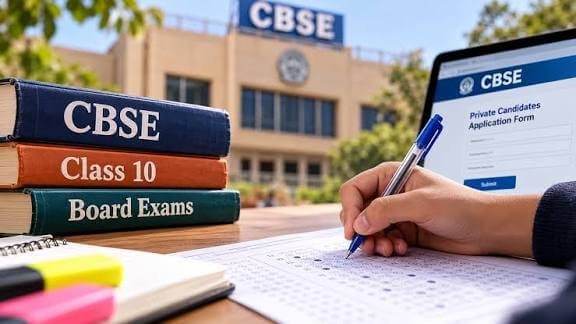
The CBSE private-candidate form is intended for applicants whom the Board permits to appear in a specified examination session without registering through a regular school for that sitting. Eligibility is not universal: it depends on the applicant’s status, examination, subject combination and the rules announced for the relevant year. Before starting an application, check that your category is explicitly included in CBSE’s notification for the 2027 examination cycle. A prior private-candidate application or permission in an earlier year does not by itself guarantee eligibility in 2027; requirements can change between sessions, and the Board’s published directions take precedence over assumptions.
Candidates covered by a notice may include those who have previously appeared in a board examination and need to reappear in failed subjects, as well as candidates authorized to seek improvement of performance. The notice may set conditions concerning the previous examination, year of appearance, qualifying status, number of attempts, subjects offered and practical components. It may distinguish between Class X and Class XII candidates and prescribe different forms or procedures for each. Applicants must verify that the desired subject and examination option are available to their category for their chosen 2027 examination session.
For that reason, use CBSE’s official website and locate the examination notice specifically issued for private candidates and the relevant 2027 session. Read the complete document, including eligibility clauses, subject lists, dates, fee instructions, document requirements and any correction or submission guidance. If a detail is unclear, consult an official CBSE communication or contact the designated help channel; do not rely on forwarded messages, social media posts or unofficial summaries, which may omit conditions or refer to an earlier year. Confirm the notice’s publication date and check for subsequent updates before paying fees or submitting information. Keep the applicable notice available throughout the application process.
A notice saying that the CBSE private-candidate application window closes today should prompt immediate verification, not reliance on a headline or forwarded message. Visit the official CBSE website and private-candidate portal, then open the current examination notification and application instructions. Confirm the exact closing date, the stated time and applicable time zone, and whether the cutoff refers to completing the form, paying the fee, or both. A date shown on a third-party website may be incomplete, outdated, or intended for a different application stage.
Check the notification for details that apply to your own examination and candidate category. Deadlines may vary by examination, eligibility group, or fee stage, and an application period may have a regular-fee deadline followed by a separate late-fee period. Do not assume that a late-fee option is available simply because it appeared in an earlier cycle, or that every category has the same closing time. If the official portal displays a deadline that differs from another source, give priority to the latest relevant CBSE notification or portal announcement. Where the instructions remain unclear, seek confirmation through an official CBSE contact channel.
Once the deadline is verified, begin promptly and allow time for each required step, including entering candidate details, uploading documents if requested, paying the applicable fee, and checking the final submission status. Keep the relevant identification and examination records available, but compare every entry against the source documents rather than guessing to save time. An incomplete or inaccurate form may create problems even if it is submitted before the cutoff. Avoid waiting until the final minutes, when payment processing, connectivity issues, or heavy portal traffic could interfere with completion. Save the application number, payment receipt, and confirmation page, and retain screenshots or copies for your records. If an error occurs, consult the official instructions or contact CBSE promptly; do not treat a payment attempt alone as proof that the application was successfully submitted.
Begin by opening the official CBSE application portal using a reliable device and a secure, stable internet connection. Check that the web address is genuine before entering any details. Select the correct examination year and candidate category, since options and eligibility requirements can differ. Read the current instructions carefully, including guidance on eligibility, subject choices, document specifications, fees, and the submission process. Keep your login credentials private; do not share passwords or one-time verification codes with anyone. If you need to pause, sign out when using a shared device.
Enter personal and academic information exactly as it appears on official records. Check the spelling and order of your name, date of birth, contact details, previous examination information, and any identification particulars requested. Choose only subjects or examination options for which you are eligible, and verify each subject code against the instructions before proceeding. Prepare clear scans or photographs of the required documents, then upload each file in the stated format and within the size limits. Confirm that every upload appears correctly and is readable before moving to the next step.
Before payment, review the entire application from the beginning. Look for mismatched names or dates of birth, incorrect subject codes, missing information, and incomplete or unreadable uploads. Correct errors while editing remains available. Avoid creating a second application simply because a page loads slowly; first check the portal’s status or follow its published guidance to prevent duplicate submissions. Pay the applicable fee using an accepted method, and wait for confirmation rather than refreshing or closing the page prematurely. Finally, complete the final submission step: saving a draft does not send the application. Download or print the confirmation and retain the payment receipt, application number, and login details securely for future reference. If confirmation is not displayed, check the application status through the official portal before taking further action.
Once the application has been submitted successfully, save evidence of the submission immediately. Note the confirmation or application number shown on the portal and take a screenshot of the confirmation page, ensuring that the relevant details are legible. Download and store a copy of the completed form, then check that it opens correctly and includes the information you entered. Keep these records together in a secure folder so they can be retrieved if a query or correction is needed later.
Retain the payment receipt or transaction reference, along with copies of every document uploaded with the application. Where possible, keep both digital copies and a separate backup, such as a secure cloud folder or external drive. Do not rely solely on browser history, temporary download folders, or email notifications, since these may be deleted or become inaccessible. Use clear file names and preserve the original files without editing them, particularly where they may be requested for verification.
After submission, return to the official portal to check the application status and confirm that the form is recorded as submitted or accepted, as applicable. Continue monitoring CBSE’s official website and notices for information about correction windows, admit cards, examination dates, and instructions for candidates. Read any updates carefully and act within the stated deadlines. Keep checking the contact details and application information you provided, so that you do not miss an important notice or a request for further action.
If money has been deducted but no confirmation appears, first check the payment status and transaction details through the relevant bank or payment service. Save the receipt, transaction reference, date and time, and screenshots of the portal page. If the website fails close to the deadline, record the time, the page or step you were using, and the exact error message; capture a screenshot if possible. Contact the official CBSE help channel promptly and provide the relevant evidence. Avoid making repeated payments while the first transaction is unresolved, and do not share sensitive credentials. Do not depend on unofficial agents or advice unless it is consistent with current CBSE guidance. Keep copies of all correspondence and follow official instructions before attempting another submission or payment.