



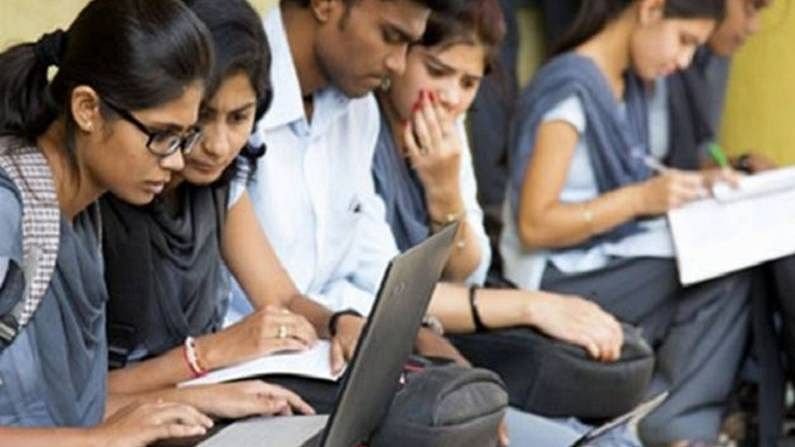
CBSE Class 12th Result The Central Board of Secondary Education (CBSE) is expected to announce the Class 12th results imminently, with rumors suggesting that the results might be released by the end of this week. Official announcements from CBSE have indicated that preparations for result declaration are under finalization, and students should remain alert for updates on their official website, as well as various educational platforms.
As per the latest information shared through various media outlets, the process of result preparation is underway, taking into consideration the thoroughness required due to the unique academic challenges posed this year. In previous years, results were typically published in May, but the ongoing adjustments related to examination schedules may have influenced this year’s timeline. Hence, students are encouraged to frequently check their registered email accounts for any notifications pertaining to the result release.
Moreover, schools have been directed to stay in touch with their affiliated students regarding the updates on results. Many educational institutions are expected to relay information directly through official school channels to ensure students receive the latest news in a timely manner. As the date approaches, messages regarding the outcome and further examination procedures will likely be communicated, serving guidance for those involved in the subsequent admission processes.
Students looking for clarity on downloading their scorecards are advised to prepare ahead. They can access their results through various portals, including the DigiLocker, Umang App, or the official CBSE website. Ultimately, all channels promise a streamlined experience for obtaining students’ scores once they are publicly disclosed.
How to Check Class 12 Results: Official Website and Apps
Accessing the CBSE Class 12 results is an important step for students, and it can be done conveniently through various platforms. Below, we outline the step-by-step process on how to check your results on the official CBSE website, as well as through the DigiLocker and Umang applications.
1. Checking Results via the Official CBSE Website:
– Start by visiting the official CBSE website at cbse.gov.in.
– Look for the link that reads ‘Results’ on the homepage once they are announced.
– Click on the link for the Class 12 results, which may direct you to another page.
– Enter your roll number, school code, and other required details in the designated fields.
– After entering the information, click on the ‘Submit’ button.
– Your Class 12 results will be displayed on the screen, and you can print or save your scorecard for future reference.
2. Accessing Results via DigiLocker:
– Download the DigiLocker app from the Google Play Store or Apple App Store if you haven’t already.
– Open the app and log in using your registered mobile number. If you don’t have an account, create one using your Aadhar number.
– After logging in, navigate to the ‘CBSE Results’ section within the app.
– Your Class 12 results will appear here, which can also be saved digitally.
3. Using the Umang App:
– Download the Umang app from your device’s app store.
– Sign up or log in using your mobile number.
– Look for the ‘Education’ section and select CBSE results.
– Enter your details as prompted and click on ‘Submit’ to view your scorecard.
All these methods ensure a reliable and secure way to access your results promptly. It is advisable to keep your personal details handy for a smoother experience during result-checking.
Step-by-Step Guide to Download Scorecards from DigiLocker and Umang App
CBSE Class 12th Result Accessing your Class 12 scorecard has become particularly convenient through digital platforms like DigiLocker and the Umang app. Here’s a guide on how to efficiently download your scorecards from each platform.
To begin with DigiLocker, students must first create an account if they do not already have one. This involves downloading the DigiLocker app from the Google Play Store or Apple App Store. After installation, open the app and click on the “Sign Up” button. Enter your mobile number to receive an OTP (One Time Password) for verification, and once confirmed, set a secure password to finalize your account setup.
After successfully logging in to your DigiLocker account, navigate to the “Ministries” section on the homepage. From there, select the option for the Central Board of Secondary Education (CBSE). This will direct you to the relevant documents like the Class 12 scorecard. Simply click on the scorecard link and download it to your device. You may also view it directly within the app. It is advised to save a copy for future reference.
Similarly, for the Umang app, ensure that it is downloaded and installed on your mobile device. Once you open the app, you will need to sign up using a mobile number or an email address. Make sure to complete the authentication process after receiving the OTP. Once logged in, search for the CBSE scorecard section within the app.
Following these steps, proceed to download your scorecard. The electronic formats provided by DigiLocker and the Umang app are essential for future academic decisions and may facilitate easier access during college applications or job interviews. These digital formats ensure that students have their results readily available and can share them as needed.
What to Do After Receiving Your Results: Next Steps and Options
Upon receiving the results of the CBSE Class 12 examinations, students often find themselves at a crossroads, facing decisions that will significantly impact their future. The immediate response to results, whether positive or negative, can be overwhelming, but it is crucial to approach the subsequent steps with a clear mind.
First and foremost, students should take a moment to process their feelings regarding their results. It is natural to have a range of emotions, from joy and relief to disappointment and uncertainty. Understanding that these reactions are valid can help in managing expectations moving forward.
Following this emotional assessment, the next logical step is to consider higher education options. Students should evaluate colleges or universities that align with their interests and academic performance. Researching criteria such as admission requisites, courses offered, and campus environments will aid in making informed decisions. Additionally, students should prepare for entrance exams where applicable, as many institutions require these scores for admission.
For those contemplating alternative paths, vocational training or diploma courses present viable options. These programs can provide practical skills and enhance employability, particularly in fields that do not necessarily require a traditional college degree.
In cases where students are dissatisfied with their results, it is important to be aware of the procedures available for reevaluation or dispute. Engaging with the educational authorities will clarify the necessary steps to take in these situations.
Ultimately, regardless of the selected path—be it further studies, vocational training, or other pursuits—students should seek advice from educators, family, and mentors. This support network can significantly guide them through the transitional phase following the exam results.